








複数のプラットフォームに分散した顧客レビューは、企業にとって分析上の課題をもたらします。手動によるレビュー監視は時間がかかり、重要なインサイトを見落とすことも少なくありません。このガイドでは、さまざまなソースからレビューを自動的に収集・分析・分類するAIエージェントの構築方法を紹介します。
学習内容:
- CrewAIとBright DataのBright Data MCPを使ったレビューインテリジェンスシステムの構築方法
- 顧客フィードバックに対するアスペクトベースの感情分析の実施方法
- トピック別にレビューを分類し、実用的なインサイトを生成する方法
最終プロジェクトはGitHubでご確認ください!
CrewAIとは?
CrewAIは、協調型AIエージェントチームを構築するためのオープンソースフレームワークです。エージェントの役割、目標、ツールを定義して複雑なワークフローを実行します。各エージェントは特定のタスクを担当しながら、共通の目標に向けて協力して動作します。
CrewAIの構成要素:
- Agent:定義された責任とツールを持つLLM搭載のワーカー
- Task:明確な出力要件を持つ具体的な作業
- Tool:データ抽出などの専門的な作業にエージェントが使用する関数
- Crew:協力して動作するエージェントの集合体
MCPとは?
MCP(Model Context Protocol)は、統一されたインターフェースを通じてAIエージェントを外部ツールやデータソースに接続するJSON-RPC 2.0標準です。
Bright DataのBright Data MCPサーバーは、400M+のローテーションレジデンシャルIPによるアンチボット保護、動的コンテンツ向けのJavaScriptレンダリング、スクレイピングデータからのクリーンなJSON出力、そして50以上のプラットフォーム対応の既製ツールを通じて、ウェブスクレイピング機能への直接アクセスを提供します。
構築するもの:マルチソースレビューインテリジェンスエージェント
G2、Capterra、Trustpilot、TrustRadiusなどの複数プラットフォームから特定企業のレビューを自動スクレイピングし、各プラットフォームの評価やトップレビューを取得し、アスペクトベースの感情分析を実施し、フィードバックをトピック(サポート、価格設定、使いやすさ)に分類し、各カテゴリの感情スコアを算出して実用的なビジネスインサイトを生成するCrewAIシステムを作成します。
前提条件
以下の開発環境をセットアップしてください:
- Python 3.11以上
- Bright Data MCPサーバー用のNode.jsとnpm
- Bright Dataアカウント – サインアップしてAPIトークンを作成してください(無料トライアルクレジットあり)。
- Nebius APIキー – Nebius AI Studioでキーを作成します(+ Get API Keyをクリック)。無料で利用可能で、課金プロファイルは不要です。
- Python仮想環境 – 依存関係を分離します。
venvドキュメントを参照してください。
環境セットアップ
プロジェクトディレクトリを作成し、依存関係をインストールします:
python -m venv venv
# macOS/Linux: source venv/bin/activate
# Windows: venv\\Scripts\\activate
pip install "crewai-tools[mcp]" crewai mcp python-dotenv pandas textblob
review_intelligence.pyという新しいファイルを作成し、以下のインポートを追加します:
from crewai import Agent, Task, Crew, Process
from crewai_tools import MCPServerAdapter
from mcp import StdioServerParameters
from crewai.llm import LLM
import os
import json
import pandas as pd
from datetime import datetime
from dotenv import load_dotenv
from textblob import TextBlob

load_dotenv()
Bright Data MCP設定
認証情報を含む.envファイルを作成します:
BRIGHT_DATA_API_TOKEN="your_api_token_here"
WEB_UNLOCKER_ZONE="your_web_unlocker_zone"
BROWSER_ZONE="your_browser_zone"
NEBIUS_API_KEY="your_nebius_api_key"
必要なもの:
- APIトークン:Bright Dataダッシュボードから新しいAPIトークンを生成
- Web Unlockerゾーン:不動産サイト向けに新しいWeb Unlockerゾーンを作成
- Browser APIゾーン:JavaScriptが多用される物件サイト向けに新しいBrowser APIゾーンを作成
- Nebius APIキー:前提条件で作成済み
review_intelligence.pyでLLMとBright Data MCPサーバーを設定します:
llm = LLM(
    model="nebius/Qwen/Qwen3-30B-A3B",
    api_key=os.getenv("NEBIUS_API_KEY")
)

server_params = StdioServerParameters(
    command="npx",
    args=["@brightdata/mcp"],
    env={
        "API_TOKEN": os.getenv("BRIGHT_DATA_API_TOKEN"),
        "WEB_UNLOCKER_ZONE": os.getenv("WEB_UNLOCKER_ZONE"),
        "BROWSER_ZONE": os.getenv("BROWSER_ZONE"),
    },
)
エージェントとタスクの定義
レビュー分析のさまざまな側面に対応する専門エージェントを定義します。レビュースクレイパーエージェントは複数のプラットフォームから顧客レビューを抽出し、レビューテキスト、評価、日付、プラットフォームソースを含むクリーンで構造化されたJSONデータを返します。このエージェントはウェブスクレイピングの専門知識を持ち、レビュープラットフォームの構造を深く理解し、アンチボット対策を回避する能力を備えています。
def build_review_scraper_agent(mcp_tools):
    return Agent(
        role="Review Data Collector",
        goal=(
            "Extract customer reviews from multiple platforms and return clean, "
            "structured JSON data with review text, ratings, dates, and platform source."
        ),
        backstory=(
            "Expert in web scraping with deep knowledge of review platform structures. "
            "Skilled at bypassing anti-bot measures and extracting complete review datasets "
            "from Amazon, Yelp, Google Reviews, and other platforms."
        ),
        tools=mcp_tools,
        llm=llm,
        max_iter=3,
        verbose=True,
    )
感情分析エージェントは、サポート品質、価格満足度、使いやすさの3つの主要なアスペクトにわたってレビューの感情を分析します。各カテゴリに対して数値スコアと詳細な根拠を提供します。このエージェントは自然言語処理と顧客感情分析を専門とし、感情的な指標やアスペクト固有のフィードバックパターンの特定に精通しています。
def build_sentiment_analyzer_agent():
    return Agent(
        role="Sentiment Analysis Specialist",
        goal=(
            "Analyze review sentiment across three key aspects: Support Quality, "
            "Pricing Satisfaction, and Ease of Use. Provide numerical scores and "
            "detailed reasoning for each category."
        ),
        backstory=(
            "Data scientist specializing in natural language processing and customer "
            "sentiment analysis. Expert at identifying emotional indicators, context clues, "
            "and aspect-specific feedback patterns in customer reviews."
        ),
        llm=llm,
        max_iter=2,
        verbose=True,
    )
インサイト生成エージェントは、感情分析の結果を実用的なビジネスインサイトに変換します。トレンドを特定し、重大な問題を浮き彫りにし、改善のための具体的な推奨事項を提供します。このエージェントは戦略的分析の専門知識を持ち、顧客体験の最適化スキルと、フィードバックデータを具体的なビジネスアクションへと変換する能力を備えています。
def build_insights_generator_agent():
    return Agent(
        role="Business Intelligence Analyst",
        goal=(
            "Transform sentiment analysis results into actionable business insights. "
            "Identify trends, highlight critical issues, and provide specific "
            "recommendations for improvement."
        ),
        backstory=(
            "Strategic analyst with expertise in customer experience optimization. "
            "Skilled at translating customer feedback data into concrete business "
            "actions and priority frameworks."
        ),
        llm=llm,
        max_iter=2,
        verbose=True,
    )
クルーの組み立てと実行
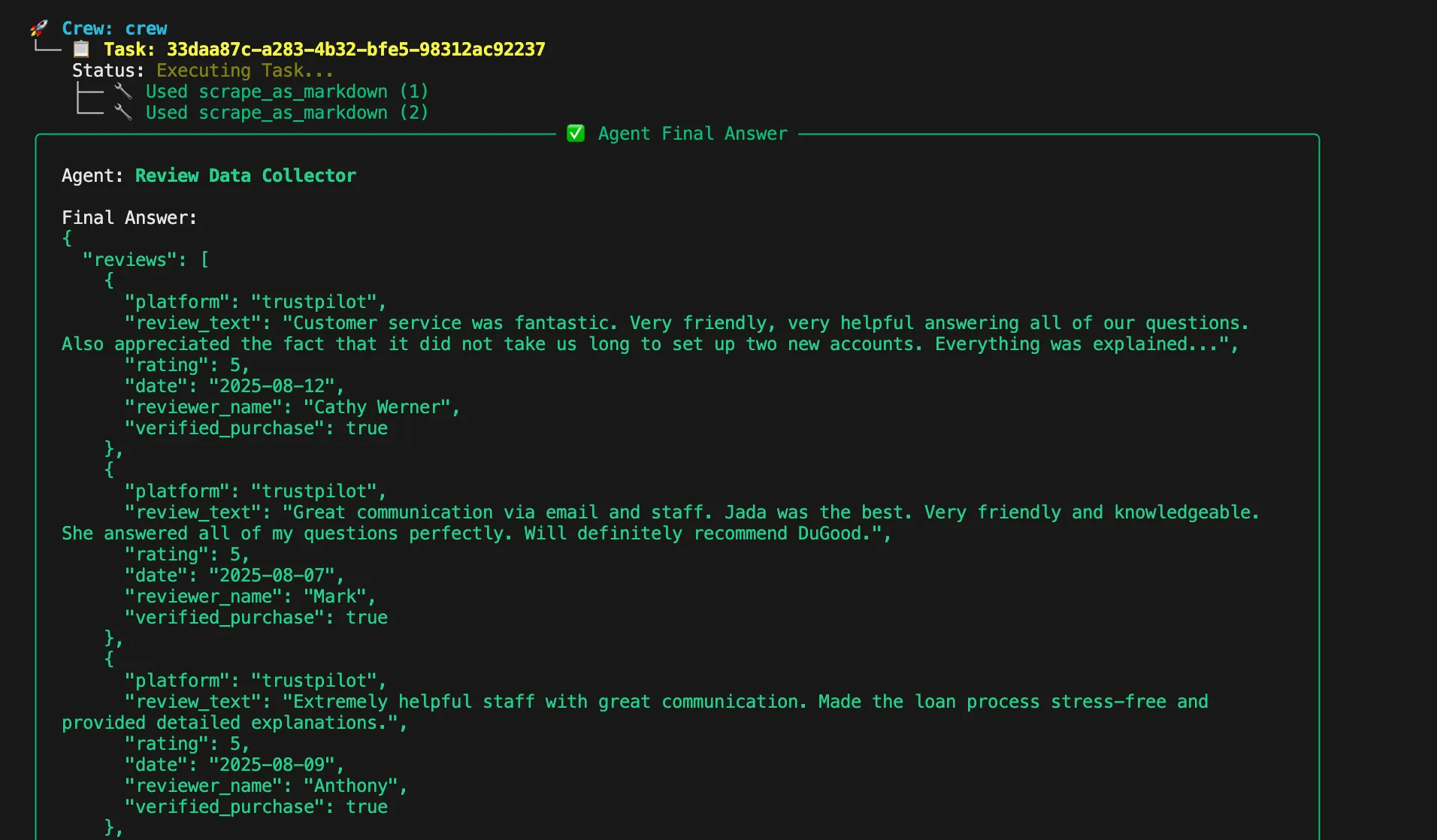
分析パイプラインの各ステージに対応するタスクを作成します。スクレイピングタスクは指定された製品ページからレビューを収集し、プラットフォーム情報、レビューテキスト、評価、日付、確認ステータスを含む構造化されたJSONを出力します。
def build_scraping_task(agent, product_urls):
    return Task(
        description=f"Scrape reviews from these product pages: {product_urls}",
        expected_output="""{
            "reviews": [
                {
                    "platform": "amazon",
                    "review_text": "Great product, fast shipping...",
                    "rating": 5,
                    "date": "2024-01-15",
                    "reviewer_name": "John D.",
                    "verified_purchase": true
                }
            ],
            "total_reviews": 150,
            "platforms_scraped": ["amazon", "yelp"]
        }""",
        agent=agent,
    )
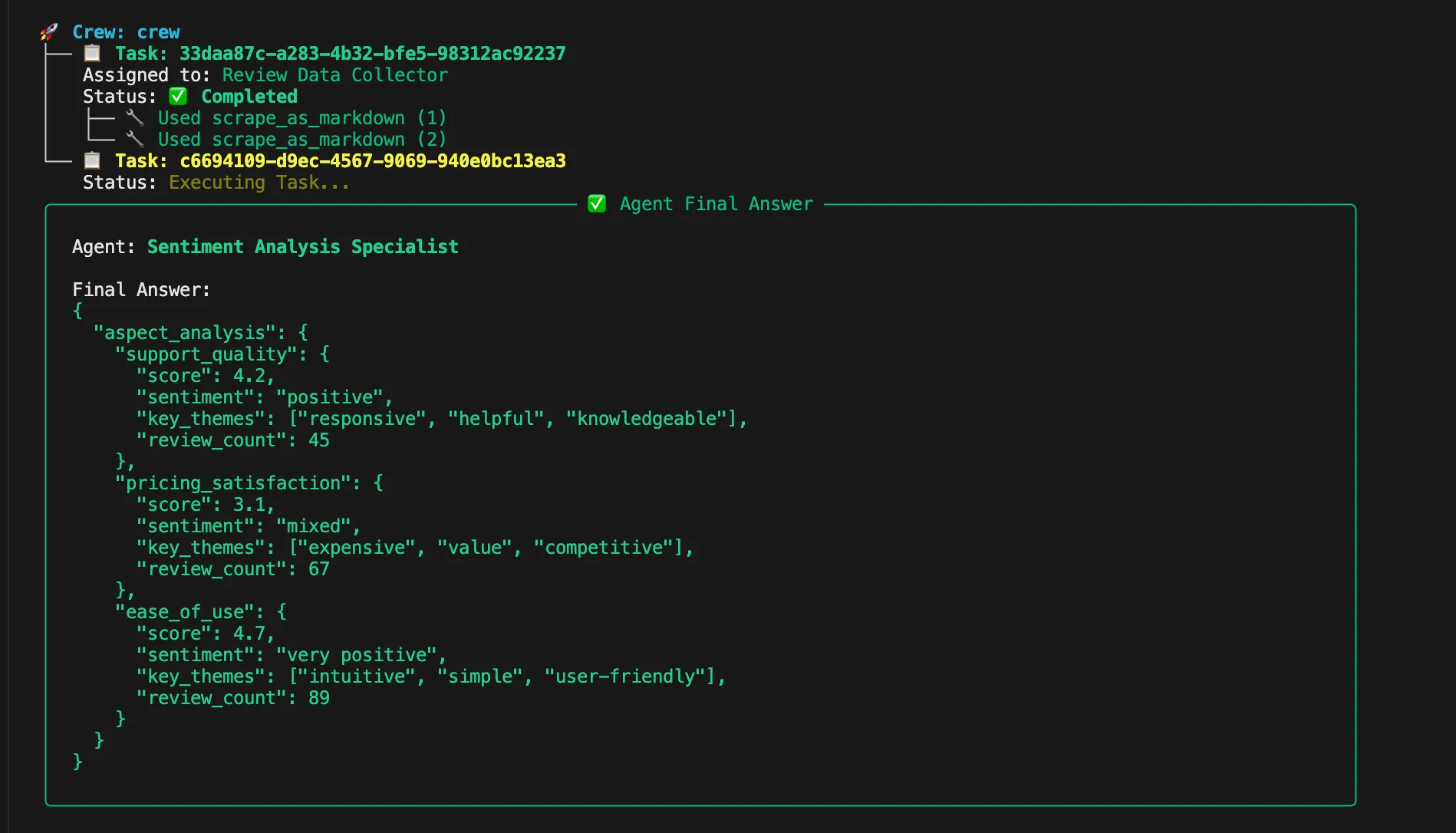
感情分析タスクはレビューを処理して、サポート、価格設定、使いやすさのアスペクトを分析します。各カテゴリの数値スコア、感情分類、主要テーマ、レビュー数を返します。
def build_sentiment_analysis_task(agent):
    return Task(
        description="Analyze sentiment for Support, Pricing, and Ease of Use aspects",
        expected_output="""{
            "aspect_analysis": {
                "support_quality": {
                    "score": 4.2,
                    "sentiment": "positive",
                    "key_themes": ["responsive", "helpful", "knowledgeable"],
                    "review_count": 45
                },
                "pricing_satisfaction": {
                    "score": 3.1,
                    "sentiment": "mixed",
                    "key_themes": ["expensive", "value", "competitive"],
                    "review_count": 67
                },
                "ease_of_use": {
                    "score": 4.7,
                    "sentiment": "very positive",
                    "key_themes": ["intuitive", "simple", "user-friendly"],
                    "review_count": 89
                }
            }
        }""",
        agent=agent,
    )
インサイトタスクは感情分析の結果から実用的なビジネスインテリジェンスを生成します。エグゼクティブサマリー、優先アクション、リスクエリア、強みの特定、戦略的推奨事項を提供します。
def build_insights_task(agent):
    return Task(
        description="Generate actionable business insights from sentiment analysis",
        expected_output="""{
            "executive_summary": "Overall customer satisfaction is strong...",
            "priority_actions": [
                "Address pricing concerns through value communication",
                "Maintain excellent ease of use standards"
            ],
            "risk_areas": ["Price sensitivity among new customers"],
            "strengths": ["Intuitive user experience", "Quality support team"],
            "recommended_focus": "Pricing strategy optimization"
        }""",
        agent=agent,
    )
アスペクトベースの感情分析
レビューで言及された特定のアスペクトを特定し、各関心領域の感情スコアを計算する感情分析関数を追加します。
def analyze_aspect_sentiment(reviews, aspect_keywords):
    """Analyze sentiment for specific aspects mentioned in reviews."""
    aspect_reviews = []

    for review in reviews:
        text = review.get('review_text', '').lower()
        if any(keyword in text for keyword in aspect_keywords):
            blob = TextBlob(review['review_text'])
            sentiment_score = blob.sentiment.polarity

            aspect_reviews.append({
                'text': review['review_text'],
                'sentiment_score': sentiment_score,
                'rating': review.get('rating', 0),
                'platform': review.get('platform', '')
            })

    return aspect_reviews
レビューのトピック別分類(サポート、価格設定、使いやすさ)
分類関数はキーワードマッチングに基づいてレビューをサポート、価格設定、使いやすさのトピックに整理します。サポートキーワードにはカスタマーサービスや支援に関連する用語が含まれます。価格キーワードはコスト、価値、手頃さに関する言及をカバーします。
def categorize_by_aspects(reviews):
    """Categorize reviews into Support, Pricing, and Ease of Use topics."""

    support_keywords = ['support', 'help', 'service', 'customer', 'response', 'assistance']
    pricing_keywords = ['price', 'cost', 'expensive', 'cheap', 'value', 'money', 'affordable']
    usability_keywords = ['easy', 'difficult', 'intuitive', 'complicated', 'user-friendly', 'interface']

    categorized = {
        'support': analyze_aspect_sentiment(reviews, support_keywords),
        'pricing': analyze_aspect_sentiment(reviews, pricing_keywords),
        'ease_of_use': analyze_aspect_sentiment(reviews, usability_keywords)
    }

    return categorized
各トピックの感情スコアリング
感情分析を数値評価と意味のあるカテゴリに変換するスコアリングロジックを実装します。
def calculate_aspect_scores(categorized_reviews):
    """Calculate numerical scores for each aspect category."""

    scores = {}

    for aspect, reviews in categorized_reviews.items():
        if not reviews:
            scores[aspect] = {'score': 0, 'count': 0, 'sentiment': 'neutral'}
            continue

        # Calculate average sentiment score
        sentiment_scores = [r['sentiment_score'] for r in reviews]
        avg_sentiment = sum(sentiment_scores) / len(sentiment_scores)

        # Convert to 1-5 scale
        normalized_score = ((avg_sentiment + 1) / 2) * 5

        # Determine sentiment category
        if avg_sentiment > 0.3:
            sentiment_category = 'positive'
        elif avg_sentiment < -0.3:
            sentiment_category = 'negative'
        else:
            sentiment_category = 'neutral'

        scores[aspect] = {
            'score': round(normalized_score, 1),
            'count': len(reviews),
            'sentiment': sentiment_category,
            'raw_sentiment': round(avg_sentiment, 2)
        }

    return scores
最終インサイトレポートの生成
すべてのエージェントとタスクを順番にオーケストレーションしてワークフローの実行を完了させます。メイン関数はスクレイピング、感情分析、インサイト生成のための専門エージェントを作成し、これらのエージェントを順次タスク処理するクルーに組み立てます。
def analyze_reviews(product_urls):
    """Main function to orchestrate the review intelligence workflow."""

    with MCPServerAdapter(server_params) as mcp_tools:
        # Create agents
        scraper_agent = build_review_scraper_agent(mcp_tools)
        sentiment_agent = build_sentiment_analyzer_agent()
        insights_agent = build_insights_generator_agent()

        # Create tasks
        scraping_task = build_scraping_task(scraper_agent, product_urls)
        sentiment_task = build_sentiment_analysis_task(sentiment_agent)
        insights_task = build_insights_task(insights_agent)

        # Assemble crew
        crew = Crew(
            agents=[scraper_agent, sentiment_agent, insights_agent],
            tasks=[scraping_task, sentiment_task, insights_task],
            process=Process.sequential,
            verbose=True
        )

        return crew.kickoff()

if __name__ == "__main__":
    product_urls = [
        "<https://www.amazon.com/product-example-1>",
        "<https://www.yelp.com/biz/business-example>"
    ]

    try:
        result = analyze_reviews(product_urls)
        print("Review Intelligence Analysis Complete!")
        print(json.dumps(result, indent=2))
    except Exception as e:
        print(f"Analysis failed: {str(e)}")
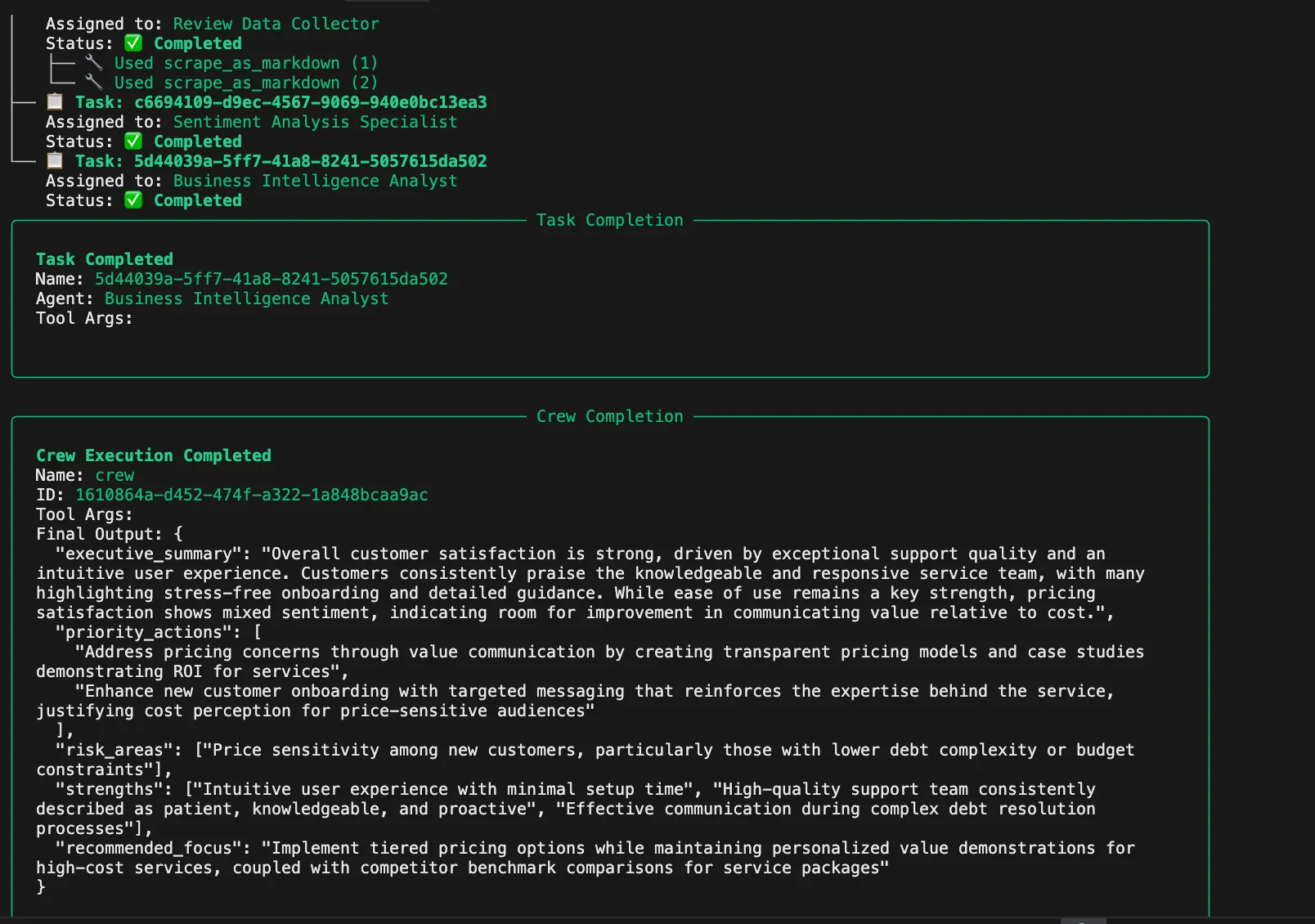
分析を実行します:
python review_intelligence.py
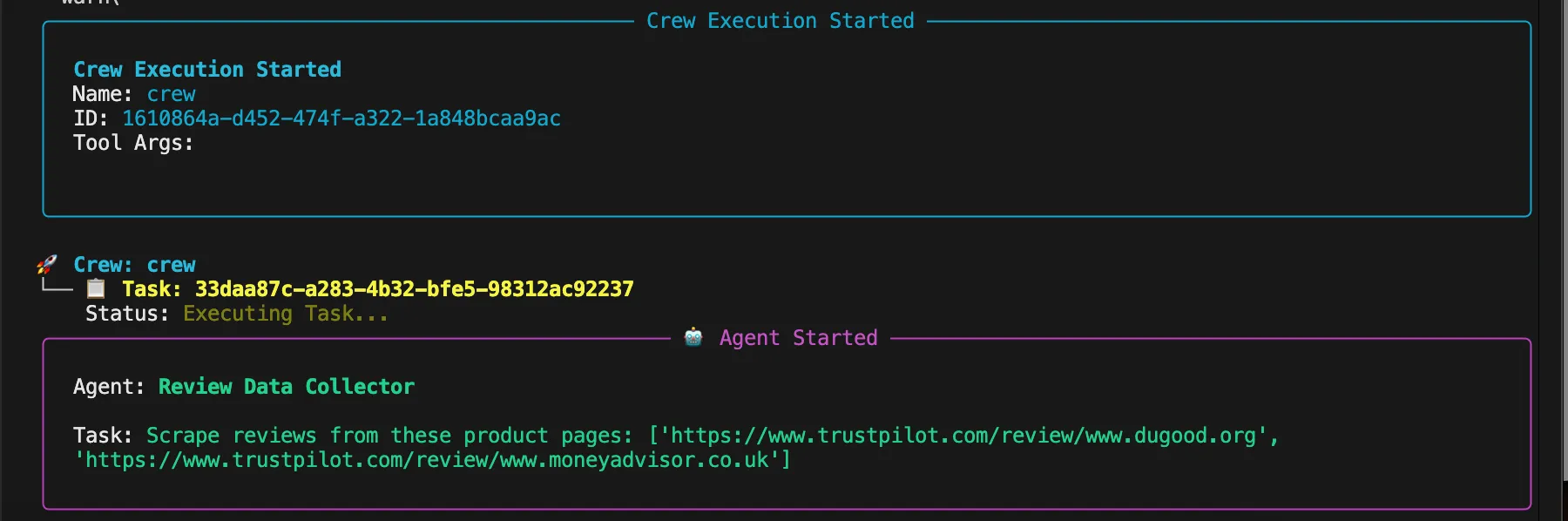
各エージェントがタスクを計画・実行する際の思考プロセスがコンソールに表示されます。システムは以下の処理を実行していることを示します:
- 複数のプラットフォームから包括的なレビューデータを抽出
- 競合ギャップと市場ポジショニングの分析
- 感情パターンの処理とレビューの品質スコアリング
- 機能の言及と価格インテリジェンスの特定
- 戦略的推奨事項とリスクアラートの提供
まとめ
CrewAIとBright Dataの強力なウェブデータインフラでレビューインテリジェンスを自動化することで、より深い顧客インサイトを引き出し、競合分析を効率化し、より賢いビジネス判断を下すことができます。Bright Dataの製品と業界トップクラスのアンチボットウェブスクレイピングソリューションにより、あらゆる業界でのレビュー収集と感情分析をスケールアップする準備が整います。最新の戦略やアップデートについては、Bright Dataブログをご覧いただくか、詳細なウェブスクレイピングガイドで顧客フィードバックの価値を最大化する方法をご確認ください。