







この記事では、以下のことを学びます:
- 会話をデータベースに永続化する本番環境対応のAIエージェントの構築方法
- インテリジェントなデータ抽出とエンティティトラッキングの実装方法
- 自動リカバリを備えた堅牢なエラーハンドリングの作成方法
- Bright Dataのリアルタイムウェブデータでエージェントを強化する方法
それでは始めましょう!
ステートレスなAI会話の課題
現在のAIエージェントは通常、ステートレスなシステムとして機能します。各会話を独立したイベントとして扱うため、履歴コンテキストが欠如しており、ユーザーは情報を繰り返し入力しなければなりません。その結果、業務効率が低下し、ユーザーの不満につながります。さらに、企業はパーソナライズやサービス改善のための長期的なデータを活用できません。
データ永続型AIはすべてのインタラクションを構造化されたデータベースに記録することでこの問題を解決します。継続的な記録を保持することで、履歴コンテキストを記憶し、特定のエンティティを経時的に追跡し、過去のインタラクションパターンを活用して一貫したパーソナライズされたユーザー体験を提供できます。
構築するもの:データベース接続型AIエージェントシステム
LangChainとGPT-4でメッセージを処理し、各会話をPostgreSQLに保存する本番環境対応のAIエージェントを構築します。リアルタイムでエンティティとインサイトを抽出し、セッション間で完全な会話履歴を保持します。自動リトライシステムによるエラー管理とロギングによる監視も実装します。
このシステムは以下を処理します:
- 適切なリレーションシップとインデックスを持つデータベーススキーマ
- カスタムデータベースツールを持つLangChainエージェント
- 自動的な会話永続化とエンティティ抽出
- データ収集のためのバックグラウンド処理パイプライン
- トランザクション管理を備えたエラーハンドリング
- 履歴データ取得のためのクエリインターフェース
- ウェブインテリジェンスのためのBright DataとのRAG統合
前提条件
開発環境を以下のように設定してください:
- Python 3.10以上。最新の非同期機能と型ヒントに必要
- PostgreSQL 14+またはSQLite 3.35+。データ永続化用データベース
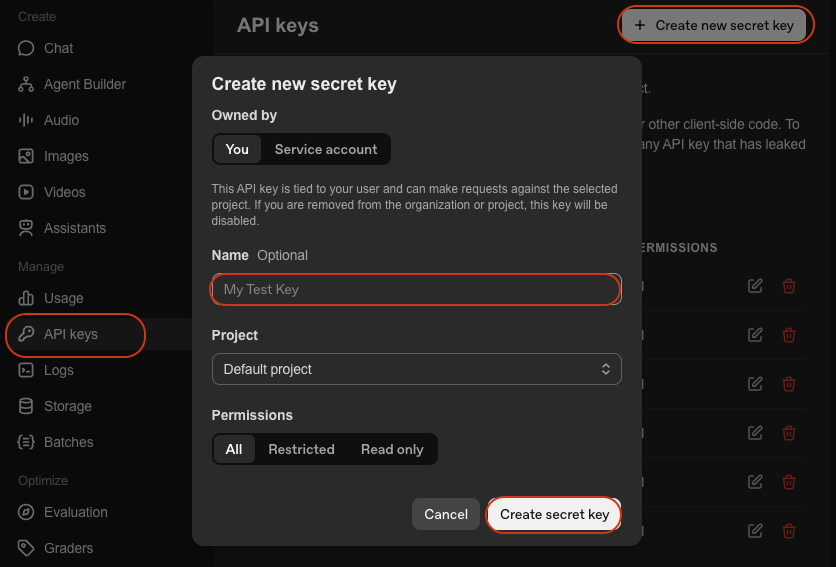
- OpenAI APIキー。GPT-4アクセス用。OpenAIプラットフォームから取得
- LangChain。AIエージェント構築フレームワーク。ドキュメントを参照
- Python仮想環境。依存関係を分離。
venvドキュメントを参照
環境セットアップ
プロジェクトディレクトリを作成し、依存関係をインストールします:
mkdir database-agent
cd database-agent
python -m venv venv

# macOS/Linux: source venv/bin/activate
# Windows: venv\\Scripts\\activate

pip install langchain langchain-openai sqlalchemy psycopg2-binary python-dotenv pydanticagent.pyという新しいファイルを作成し、以下のインポートを追加します:
import os
import json
import logging
import time
from datetime import datetime, timedelta
from typing import List, Dict, Any, Optional
from queue import Queue
from threading import Thread

# SQLAlchemy imports
from sqlalchemy import create_engine, Column, Integer, String, Text, DateTime, Float, JSON, ForeignKey, text
from sqlalchemy.orm import sessionmaker, relationship, Session, declarative_base
from sqlalchemy.pool import QueuePool
from sqlalchemy.exc import SQLAlchemyError

# LangChain imports
from langchain.agents import AgentExecutor, create_openai_functions_agent
from langchain.prompts import ChatPromptTemplate, MessagesPlaceholder
from langchain.tools import Tool
from langchain_openai import ChatOpenAI
from langchain.memory import ConversationBufferMemory
from langchain.schema import HumanMessage, AIMessage, SystemMessage

# RAG imports
from langchain_community.vectorstores import Chroma
from langchain.embeddings import OpenAIEmbeddings
from langchain.text_splitter import RecursiveCharacterTextSplitter
import requests

# Environment setup
from dotenv import load_dotenv
load_dotenv()

# Configure logging
logging.basicConfig(
    level=logging.INFO,
    format='%(asctime)s - %(name)s - %(levelname)s - %(message)s'
)
logger = logging.getLogger(__name__)認証情報を含む.envファイルを作成します:
# Database Configuration
DATABASE_URL="postgresql://username:password@localhost:5432/agent_db"
# Or for SQLite: DATABASE_URL="sqlite:///./agent_data.db"

# API Keys
OPENAI_API_KEY="your-openai-api-key"

# Optional: Bright Data (for Step 7)
BRIGHT_DATA_API_KEY="your-bright-data-api-key"

# Application Settings
AGENT_MODEL="gpt-4-turbo-preview"
CONNECTION_POOL_SIZE=5
MAX_RETRIES=3
必要なもの:
- データベースURL:PostgreSQLまたはSQLiteの接続文字列
- OpenAI APIキー:GPT-4経由のエージェントインテリジェンス用
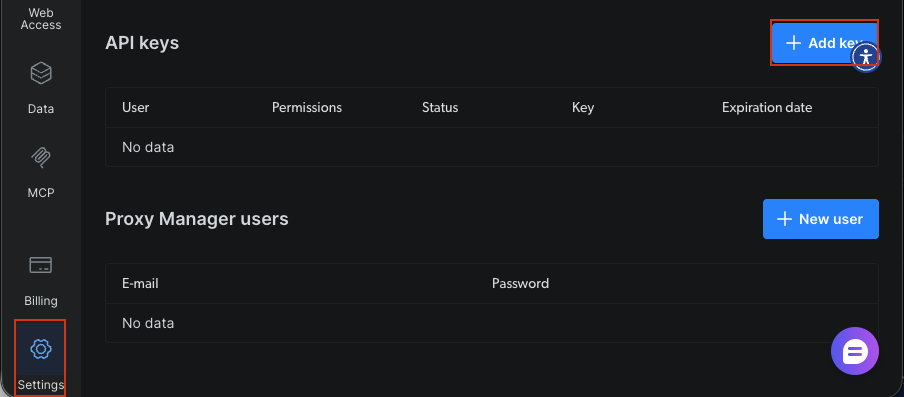
- Bright Data APIキー:オプション。ステップ7のリアルタイムウェブデータ用
データベース接続型AIエージェントの構築
ステップ1:データベーススキーマの設計
ユーザー、会話、メッセージ、抽出エンティティのテーブルを設計します。スキーマは外部キーとリレーションシップを使用してデータの整合性を維持します。
Base = declarative_base()


class User(Base):
    """User profile table - stores user information and preferences."""
    __tablename__ = 'users'

    id = Column(Integer, primary_key=True)
    user_id = Column(String(255), unique=True, nullable=False, index=True)
    name = Column(String(255))
    email = Column(String(255))
    preferences = Column(JSON, default={})
    created_at = Column(DateTime, default=datetime.utcnow)
    last_active = Column(DateTime, default=datetime.utcnow, onupdate=datetime.utcnow)

    # Relationships
    conversations = relationship("Conversation", back_populates="user", cascade="all, delete-orphan")

    def __repr__(self):
        return f"<User(user_id='{self.user_id}', name='{self.name}')>"


class Conversation(Base):
    """Conversation session table - tracks individual conversation sessions."""
    __tablename__ = 'conversations'

    id = Column(Integer, primary_key=True)
    conversation_id = Column(String(255), unique=True, nullable=False, index=True)
    user_id = Column(Integer, ForeignKey('users.id'), nullable=False)
    title = Column(String(500))
    summary = Column(Text)
    status = Column(String(50), default='active')  # active, archived, deleted
    meta_data = Column(JSON, default={})
    created_at = Column(DateTime, default=datetime.utcnow)
    updated_at = Column(DateTime, default=datetime.utcnow, onupdate=datetime.utcnow)

    # Relationships
    user = relationship("User", back_populates="conversations")
    messages = relationship("Message", back_populates="conversation", cascade="all, delete-orphan")
    entities = relationship("Entity", back_populates="conversation", cascade="all, delete-orphan")

    def __repr__(self):
        return f"<Conversation(id='{self.conversation_id}', user='{self.user_id}')>"


class Message(Base):
    """Individual message table - stores each message in a conversation."""
    __tablename__ = 'messages'

    id = Column(Integer, primary_key=True)
    conversation_id = Column(Integer, ForeignKey('conversations.id'), nullable=False, index=True)
    role = Column(String(50), nullable=False)  # user, assistant, system
    content = Column(Text, nullable=False)
    tokens = Column(Integer)
    model = Column(String(100))
    meta_data = Column(JSON, default={})
    created_at = Column(DateTime, default=datetime.utcnow)

    # Relationships
    conversation = relationship("Conversation", back_populates="messages")

    def __repr__(self):
        return f"<Message(role='{self.role}', conversation='{self.conversation_id}')>"


class Entity(Base):
    """Extracted entities table - stores named entities extracted from conversations."""
    __tablename__ = 'entities'

    id = Column(Integer, primary_key=True)
    conversation_id = Column(Integer, ForeignKey('conversations.id'), nullable=False, index=True)
    entity_type = Column(String(100), nullable=False, index=True)  # person, organization, location, etc.
    entity_value = Column(String(500), nullable=False)
    context = Column(Text)
    confidence = Column(Float, default=0.0)
    meta_data = Column(JSON, default={})
    extracted_at = Column(DateTime, default=datetime.utcnow)

    # Relationships
    conversation = relationship("Conversation", back_populates="entities")

    def __repr__(self):
        return f"<Entity(type='{self.entity_type}', value='{self.entity_value}')>"


class AgentLog(Base):
    """Agent operation logs table - stores operational logs for monitoring."""
    __tablename__ = 'agent_logs'

    id = Column(Integer, primary_key=True)
    conversation_id = Column(String(255), index=True)
    level = Column(String(50), nullable=False)  # INFO, WARNING, ERROR
    operation = Column(String(255), nullable=False)
    message = Column(Text, nullable=False)
    error_details = Column(JSON)
    execution_time = Column(Float)  # in seconds
    created_at = Column(DateTime, default=datetime.utcnow)

    def __repr__(self):
return f"<AgentLog(level='{self.level}', operation='{self.operation}')>"スキーマは5つのコアテーブルを定義します。Userは柔軟なデータのためにJSON設定でプロファイルを保存します。Conversationはステータストラッキング付きでセッションを管理します。Messageはユーザーとアシスタントのメッセージを区別するロール指示子付きで個別のやり取りを保持します。Entityは信頼スコア付きで抽出された情報を記録します。AgentLogは監視のための操作トラッキングを提供します。外部キーは参照整合性を維持します。頻繁にクエリされるフィールドのインデックスはパフォーマンスを最適化します。cascade="all, delete-orphan"設定は親レコードが削除された際に関連レコードをクリーンアップします。
ステップ2:データベース接続レイヤーのセットアップ
SQLAlchemyでデータベース接続マネージャーを設定します。マネージャーは接続プーリング、ヘルスチェック、信頼性のための自動リトライロジックを処理します。
class DatabaseManager:
    """
    Manages database connections and operations.

    Features:
    - Connection pooling for efficient resource usage
    - Health checks to verify database connectivity
    - Automatic table creation
    """

    def __init__(self, database_url: str, pool_size: int = 5, max_retries: int = 3):
        """
        Initialize database manager.

        Args:
            database_url: Database connection string (e.g., 'sqlite:///./agent_data.db')
            pool_size: Number of connections to maintain in the pool
            max_retries: Maximum number of retry attempts for failed operations
        """
        self.database_url = database_url
        self.max_retries = max_retries

        # Create engine with connection pooling
        self.engine = create_engine(
            database_url,
            poolclass=QueuePool,
            pool_size=pool_size,
            max_overflow=10,
            pool_pre_ping=True,  # Verify connections before using
            echo=False  # Set to True for SQL debugging
        )

        # Create session factory
        self.SessionLocal = sessionmaker(
            bind=self.engine,
            autocommit=False,
            autoflush=False
        )

        logger.info(f"✓ Database engine created with {pool_size} connection pool")

    def initialize_database(self):
        """Create all tables in the database."""
        try:
            Base.metadata.create_all(bind=self.engine)
            logger.info("✓ Database tables created successfully")
        except Exception as e:
            logger.error(f"❌ Failed to create database tables: {e}")
            raise

    def get_session(self) -> Session:
        """Get a new database session for performing operations."""
        return self.SessionLocal()

    def health_check(self) -> bool:
        """
        Check database connectivity.

        Returns:
            bool: True if database is healthy, False otherwise
        """
        try:
            with self.engine.connect() as conn:
                conn.execute(text("SELECT 1"))
            logger.info("✓ Database health check passed")
            return True
        except Exception as e:
            logger.error(f"❌ Database health check failed: {e}")
return FalseDatabaseManagerはSQLAlchemyの接続プーリングを使用して接続を確立します。pool_size=5の設定は効率化のために5つの永続的な接続を維持します。pool_pre_pingオプションは使用前に接続を検証し、古い接続エラーを防ぎます。リトライメカニズムは失敗した操作を指数バックオフで最大3回試みます。一時的なネットワーク問題に対処します。
ステップ3:LangChainエージェントコアの構築
データベースと連携するカスタムツールを持つLangChainを使用してAIエージェントを作成します。エージェントはファンクションコーリングを使用して情報を保存し、会話履歴を取得します。
class DataPersistentAgent:
    """
    AI Agent with database persistence capabilities.

    This agent:
    - Remembers conversations across sessions
    - Saves and retrieves user information
    - Extracts and stores important entities
    - Provides personalized responses based on history
    """

    def __init__(
        self,
        db_manager: DatabaseManager,
        model_name: str = "gpt-4-turbo-preview",
        temperature: float = 0.7
    ):
        """
        Initialize the data-persistent agent.

        Args:
            db_manager: Database manager instance
            model_name: LLM model to use (default: gpt-4-turbo-preview)
            temperature: Model temperature for response generation
        """
        self.db_manager = db_manager
        self.model_name = model_name

        # Initialize LLM
        self.llm = ChatOpenAI(
            model=model_name,
            temperature=temperature,
            openai_api_key=os.getenv("OPENAI_API_KEY")
        )

        # Create tools for agent
        self.tools = self._create_agent_tools()

        # Create agent prompt
        self.prompt = self._create_agent_prompt()

        # Initialize memory
        self.memory = ConversationBufferMemory(
            memory_key="chat_history",
            return_messages=True
        )

        # Create agent
        self.agent = create_openai_functions_agent(
            llm=self.llm,
            tools=self.tools,
            prompt=self.prompt
        )

        # Create agent executor
        self.agent_executor = AgentExecutor(
            agent=self.agent,
            tools=self.tools,
            memory=self.memory,
            verbose=True,
            handle_parsing_errors=True,
            max_iterations=5
        )

        logger.info(f"✓ Data-persistent agent initialized with {model_name}")

    def _create_agent_tools(self) -> List[Tool]:
        """Create custom tools for database operations."""

        def save_user_info(user_data: str) -> str:
            """Save user information to database."""
            try:
                data = json.loads(user_data)
                session = self.db_manager.get_session()

                user = session.query(User).filter_by(user_id=data['user_id']).first()
                if not user:
                    user = User(**data)
                    session.add(user)
                else:
                    for key, value in data.items():
                        setattr(user, key, value)

                session.commit()
                session.close()

                return f"✓ User information saved successfully"
            except Exception as e:
                logger.error(f"Failed to save user info: {e}")
                return f"❌ Error saving user info: {str(e)}"

        def retrieve_user_history(user_id: str) -> str:
            """Retrieve user's conversation history."""
            try:
                session = self.db_manager.get_session()

                user = session.query(User).filter_by(user_id=user_id).first()
                if not user:
                    return "No user found"

                conversations = session.query(Conversation).filter_by(user_id=user.id).order_by(Conversation.created_at.desc()).limit(5).all()

                history = []
                for conv in conversations:
                    messages = session.query(Message).filter_by(conversation_id=conv.id).all()
                    history.append({
                        'conversation_id': conv.conversation_id,
                        'created_at': conv.created_at.isoformat(),
                        'message_count': len(messages),
                        'summary': conv.summary
                    })

                session.close()
                return json.dumps(history, indent=2)
            except Exception as e:
                logger.error(f"Failed to retrieve history: {e}")
                return f"❌ Error retrieving history: {str(e)}"

        def extract_entities(text: str) -> str:
            """Extract entities from text and save to database."""

            try:
                entities = []
                # Simple keyword extraction (replace with proper NER)
                keywords = ['important', 'key', 'critical']
                for keyword in keywords:
                    if keyword in text.lower():
                        entities.append({
                            'entity_type': 'keyword',
                            'entity_value': keyword,
                            'confidence': 0.8
                        })

                return json.dumps(entities, indent=2)
            except Exception as e:
                logger.error(f"Failed to extract entities: {e}")
                return f"❌ Error extracting entities: {str(e)}"

        tools = [
            Tool(
                name="SaveUserInfo",
                func=save_user_info,
                description="Save user information to the database. Input should be a JSON string with user details."
            ),
            Tool(
                name="RetrieveUserHistory",
                func=retrieve_user_history,
                description="Retrieve a user's conversation history from the database. Input should be the user_id."
            ),
            Tool(
                name="ExtractEntities",
                func=extract_entities,
                description="Extract important entities from text and save to database. Input should be the text to analyze."
            )
        ]

        return tools

    def _create_agent_prompt(self) -> ChatPromptTemplate:
        """Create agent prompt template."""

        system_message = """You are a helpful AI assistant with the ability to remember and learn from conversations.

You have access to the following tools:
- SaveUserInfo: Save user information to remember for future conversations
- RetrieveUserHistory: Look up past conversations with a user
- ExtractEntities: Extract and save important information from conversations

Use these tools to provide personalized, context-aware responses. Always check if you have previous conversations with a user before responding.

Be proactive about saving important information for future conversations."""

        prompt = ChatPromptTemplate.from_messages([
            ("system", system_message),
            MessagesPlaceholder(variable_name="chat_history"),
            ("human", "{input}"),
            MessagesPlaceholder(variable_name="agent_scratchpad")
        ])

        return prompt

    def chat(self, user_id: str, message: str, conversation_id: Optional[str] = None) -> Dict[str, Any]:
        """
        Process a chat message and persist to database.

        This method handles:
        1. Creating or retrieving conversations
        2. Saving user messages to database
        3. Generating agent responses
        4. Saving agent responses to database
        5. Logging operations for monitoring

        Args:
            user_id: Unique identifier for the user
            message: User's message text
            conversation_id: Optional conversation ID to continue existing conversation

        Returns:
            dict: Contains conversation_id, response, and execution_time
        """
        start_time = datetime.utcnow()

        try:
            # Get or create conversation
            session = self.db_manager.get_session()

            if conversation_id:
                conversation = session.query(Conversation).filter_by(conversation_id=conversation_id).first()
            else:
                # Create new conversation
                user = session.query(User).filter_by(user_id=user_id).first()
                if not user:
                    user = User(user_id=user_id, name=user_id)
                    session.add(user)
                    session.commit()

                conversation = Conversation(
                    conversation_id=f"conv_{user_id}_{datetime.utcnow().timestamp()}",
                    user_id=user.id,
                    title=message[:100]
                )
                session.add(conversation)
                session.commit()

            # Save user message
            user_message = Message(
                conversation_id=conversation.id,
                role="user",
                content=message,
                model=self.model_name
            )
            session.add(user_message)
            session.commit()

            # Get agent response
            response = self.agent_executor.invoke({
                "input": f"[User ID: {user_id}] {message}"
            })

            # Save assistant message
            assistant_message = Message(
                conversation_id=conversation.id,
                role="assistant",
                content=response['output'],
                model=self.model_name
            )
            session.add(assistant_message)
            session.commit()

            # Log operation
            execution_time = (datetime.utcnow() - start_time).total_seconds()
            log_entry = AgentLog(
                conversation_id=conversation.conversation_id,
                level="INFO",
                operation="chat",
                message="Chat processed successfully",
                execution_time=execution_time
            )
            session.add(log_entry)
            session.commit()

            # Extract conversation_id before closing session
            conversation_id_result = conversation.conversation_id

            session.close()

            logger.info(f"✓ Chat processed for user {user_id} in {execution_time:.2f}s")

            return {
                'conversation_id': conversation_id_result,
                'response': response['output'],
                'execution_time': execution_time
            }

        except Exception as e:
            logger.error(f"❌ Error processing chat: {e}")

            # Log error
            session = self.db_manager.get_session()
            error_log = AgentLog(
                conversation_id=conversation_id or "unknown",
                level="ERROR",
                operation="chat",
                message=str(e),
                error_details={'exception_type': type(e).__name__}
            )
            session.add(error_log)
            session.commit()
            session.close()

raiseDataPersistentAgentはLangChainのファンクションコーリングエージェントをデータベースツールでラップします。SaveUserInfoツールはUserレコードを作成または更新してユーザーデータを永続化します。RetrieveHistoryツールはコンテキストを提供するために過去の会話をクエリします。システムプロンプトはエージェントに対して情報の保存と履歴確認を積極的に行うよう指示します。ConversationBufferMemoryはセッション内の短期コンテキストを維持します。データベースストレージはセッション間の長期永続化を提供します。
ステップ3.5:データ収集モジュールの作成
会話からデータを抽出・構造化するツールを構築します。コレクターはLLMを使用してサマリーを生成し、設定を抽出し、エンティティを識別します。
class DataCollector:
    """
    Collects and structures data from agent conversations.

    This module:
    - Generates conversation summaries
    - Extracts user preferences from conversation history
    - Identifies and saves named entities
    """

    def __init__(self, db_manager: DatabaseManager, llm: ChatOpenAI):
        """
        Initialize data collector.

        Args:
            db_manager: Database manager instance
            llm: Language model for text analysis
        """
        self.db_manager = db_manager
        self.llm = llm
        logger.info("✓ Data collector initialized")

    def extract_conversation_summary(self, conversation_id: str) -> str:
        """
        Generate and save conversation summary using LLM.

        Args:
            conversation_id: ID of conversation to summarize

        Returns:
            str: Generated summary text
        """
        try:
            session = self.db_manager.get_session()

            conversation = session.query(Conversation).filter_by(conversation_id=conversation_id).first()
            if not conversation:
                return "Conversation not found"

            messages = session.query(Message).filter_by(conversation_id=conversation.id).all()

            # Build conversation text
            conv_text = "\n".join([
                f"{msg.role}: {msg.content}" for msg in messages
            ])

            # Generate summary using LLM
            summary_prompt = f"""Summarize the following conversation in 2-3 sentences, capturing the main topics and outcomes:

{conv_text}

Summary:"""

            summary_response = self.llm.invoke([HumanMessage(content=summary_prompt)])
            summary = summary_response.content

            # Update conversation with summary
            conversation.summary = summary
            session.commit()
            session.close()

            logger.info(f"✓ Generated summary for conversation {conversation_id}")
            return summary

        except Exception as e:
            logger.error(f"Failed to generate summary: {e}")
            return ""

    def extract_user_preferences(self, user_id: str) -> Dict[str, Any]:
        """
        Extract and save user preferences from conversation history.

        Args:
            user_id: ID of user to analyze

        Returns:
            dict: Extracted preferences
        """
        try:
            session = self.db_manager.get_session()

            user = session.query(User).filter_by(user_id=user_id).first()
            if not user:
                return {}

            # Get recent conversations
            conversations = session.query(Conversation).filter_by(user_id=user.id).order_by(Conversation.created_at.desc()).limit(10).all()

            all_messages = []
            for conv in conversations:
                messages = session.query(Message).filter_by(conversation_id=conv.id).all()
                all_messages.extend([msg.content for msg in messages if msg.role == "user"])

            if not all_messages:
                return {}

            # Analyze preferences using LLM
            analysis_prompt = f"""Analyze the following messages from a user and extract their preferences, interests, and communication style.

Messages:
{chr(10).join(all_messages[:20])}

Return a JSON object with the following structure:
{{
    "interests": ["interest1", "interest2"],
    "communication_style": "description",
    "preferred_topics": ["topic1", "topic2"],
    "language_preference": "language"
}}"""

            response = self.llm.invoke([HumanMessage(content=analysis_prompt)])

            try:
                # Extract JSON from response
                content = response.content
                if '```json' in content:
                    content = content.split('```json')[1].split('```')[0].strip()
                elif '```' in content:
                    content = content.split('```')[1].split('```')[0].strip()

                preferences = json.loads(content)

                # Update user preferences
                user.preferences = preferences
                session.commit()

                logger.info(f"✓ Extracted preferences for user {user_id}")
                return preferences

            except json.JSONDecodeError:
                logger.warning("Failed to parse preferences JSON")
                return {}
            finally:
                session.close()

        except Exception as e:
            logger.error(f"Failed to extract preferences: {e}")
            return {}

    def extract_entities_with_llm(self, conversation_id: str) -> List[Dict[str, Any]]:
        """
        Extract named entities using LLM.

        Args:
            conversation_id: ID of conversation to analyze

        Returns:
            list: List of extracted entities
        """
        try:
            session = self.db_manager.get_session()

            conversation = session.query(Conversation).filter_by(conversation_id=conversation_id).first()
            if not conversation:
                return []

            messages = session.query(Message).filter_by(conversation_id=conversation.id).all()
            conv_text = "\n".join([msg.content for msg in messages])

            # Extract entities using LLM
            entity_prompt = f"""Extract named entities from the following conversation. Identify:
- People (PERSON)
- Organizations (ORG)
- Locations (LOC)
- Dates (DATE)
- Products (PRODUCT)
- Technologies (TECH)

Conversation:
{conv_text}

Return a JSON array of entities with format:
[
    {{"type": "PERSON", "value": "John Doe", "context": "mentioned as team lead"}},
    {{"type": "ORG", "value": "Acme Corp", "context": "customer company"}}
]"""

            response = self.llm.invoke([HumanMessage(content=entity_prompt)])

            try:
                content = response.content
                if '```json' in content:
                    content = content.split('```json')[1].split('```')[0].strip()
                elif '```' in content:
                    content = content.split('```')[1].split('```')[0].strip()

                entities_data = json.loads(content)

                # Save entities to database
                saved_entities = []
                for entity_data in entities_data:
                    entity = Entity(
                        conversation_id=conversation.id,
                        entity_type=entity_data['type'],
                        entity_value=entity_data['value'],
                        context=entity_data.get('context', ''),
                        confidence=0.9  # LLM extraction has high confidence
                    )
                    session.add(entity)
                    saved_entities.append(entity_data)

                session.commit()
                session.close()

                logger.info(f"✓ Extracted {len(saved_entities)} entities from conversation {conversation_id}")
                return saved_entities

            except json.JSONDecodeError:
                logger.warning("Failed to parse entities JSON")
                return []

        except Exception as e:
            logger.error(f"Failed to extract entities: {e}")
return []DataCollectorはLLMを使用して会話を分析します。extract_conversation_summaryメソッドは会話の簡潔なサマリーを作成します。extract_user_preferencesメソッドはメッセージパターンを分析してユーザーの興味とコミュニケーションスタイルを識別します。extract_entities_with_llmメソッドは構造化されたプロンプトを使用して人物、組織、テクノロジーなどの名前付きエンティティを抽出します。抽出されたすべてのデータは将来の参照のためにデータベースに保存されます。
ステップ4:スマートデータ処理パイプラインの構築
エージェントをブロックせずにデータ収集を処理するバックグラウンド処理を実装します。パイプラインはワーカースレッドとキューを使用してサマリーとエンティティを処理します。
class DataProcessingPipeline:
    """
    Asynchronous data processing pipeline.

    This pipeline:
    - Processes conversations in the background
    - Generates summaries
    - Extracts entities without blocking main flow
    - Updates user preferences periodically
    """

    def __init__(self, db_manager: DatabaseManager, collector: DataCollector, batch_size: int = 10):
        """
        Initialize processing pipeline.

        Args:
            db_manager: Database manager instance
            collector: Data collector for processing operations
            batch_size: Number of items to process in each batch
        """
        self.db_manager = db_manager
        self.collector = collector
        self.batch_size = batch_size

        # Processing queues
        self.summary_queue = Queue()
        self.entity_queue = Queue()
        self.preference_queue = Queue()

        # Worker threads
        self.workers = []
        self.running = False

        logger.info("✓ Data processing pipeline initialized")

    def start(self):
        """Start background processing workers."""
        self.running = True

        # Create worker threads
        summary_worker = Thread(target=self._process_summaries, daemon=True)
        entity_worker = Thread(target=self._process_entities, daemon=True)
        preference_worker = Thread(target=self._process_preferences, daemon=True)

        summary_worker.start()
        entity_worker.start()
        preference_worker.start()

        self.workers = [summary_worker, entity_worker, preference_worker]

        logger.info("✓ Started 3 background processing workers")

    def stop(self):
        """Stop background processing workers."""
        self.running = False
        for worker in self.workers:
            worker.join(timeout=5)
        logger.info("✓ Stopped background processing workers")

    def queue_conversation_for_processing(self, conversation_id: str, user_id: str):
        """
        Add conversation to processing queues.

        Args:
            conversation_id: ID of conversation to process
            user_id: ID of user for preference extraction
        """
        self.summary_queue.put(conversation_id)
        self.entity_queue.put(conversation_id)
        self.preference_queue.put(user_id)

        logger.info(f"✓ Queued conversation {conversation_id} for processing")

    def _process_summaries(self):
        """Worker for processing conversation summaries."""
        while self.running:
            try:
                if not self.summary_queue.empty():
                    conversation_id = self.summary_queue.get()
                    self.collector.extract_conversation_summary(conversation_id)
                    self.summary_queue.task_done()
                else:
                    time.sleep(1)
            except Exception as e:
                logger.error(f"Error in summary worker: {e}")

    def _process_entities(self):
        """Worker for processing entity extraction."""
        while self.running:
            try:
                if not self.entity_queue.empty():
                    conversation_id = self.entity_queue.get()
                    self.collector.extract_entities_with_llm(conversation_id)
                    self.entity_queue.task_done()
                else:
                    time.sleep(1)
            except Exception as e:
                logger.error(f"Error in entity worker: {e}")

    def _process_preferences(self):
        """Worker for processing user preferences."""
        while self.running:
            try:
                if not self.preference_queue.empty():
                    user_id = self.preference_queue.get()
                    self.collector.extract_user_preferences(user_id)
                    self.preference_queue.task_done()
                else:
                    time.sleep(1)
            except Exception as e:
                logger.error(f"Error in preference worker: {e}")

    def get_queue_status(self) -> Dict[str, int]:
        """
        Get current queue sizes.

        Returns:
            dict: Queue sizes for each processing type
        """
        return {
            'summary_queue': self.summary_queue.qsize(),
            'entity_queue': self.entity_queue.qsize(),
            'preference_queue': self.preference_queue.qsize()
}ProcessingPipelineはデータ収集をメッセージ処理から切り離します。会話が完了すると、すぐに処理されるのではなくキューに追加されます。別々のワーカースレッドがこれらのキューからアイテムを取り出し、バックグラウンドで処理します。これによりデータ収集がエージェントの応答をブロックするのを防ぎます。daemon=True設定はメインプログラムが終了するとワーカーも終了することを保証します。キューステータスの監視は処理バックログの追跡に役立ちます。
ステップ5:リアルタイム監視とロギングの追加
エージェントのパフォーマンスを追跡し、エラーを検出し、レポートを生成する監視システムを作成します。モニターはログを分析して運用インサイトを提供します。
class AgentMonitor:
    """
    Real-time monitoring and metrics collection.

    This module:
    - Tracks performance metrics
    - Monitors system health
    - Generates analytics reports
    """

    def __init__(self, db_manager: DatabaseManager):
        """
        Initialize agent monitor.

        Args:
            db_manager: Database manager instance
        """
        self.db_manager = db_manager
        logger.info("✓ Agent monitor initialized")

    def get_performance_metrics(self, hours: int = 24) -> Dict[str, Any]:
        """
        Get performance metrics for the specified time period.

        Args:
            hours: Number of hours to look back

        Returns:
            dict: Performance metrics including operation counts and error rates
        """
        try:
            session = self.db_manager.get_session()

            cutoff_time = datetime.utcnow() - timedelta(hours=hours)

            # Query logs
            logs = session.query(AgentLog).filter(
                AgentLog.created_at >= cutoff_time
            ).all()

            # Calculate metrics
            total_operations = len(logs)
            error_count = len([log for log in logs if log.level == "ERROR"])
            avg_execution_time = sum([log.execution_time or 0 for log in logs]) / max(total_operations, 1)

            # Get conversation counts
            conversations = session.query(Conversation).filter(
                Conversation.created_at >= cutoff_time
            ).count()

            messages = session.query(Message).join(Conversation).filter(
                Message.created_at >= cutoff_time
            ).count()

            session.close()

            metrics = {
                'time_period_hours': hours,
                'total_operations': total_operations,
                'error_count': error_count,
                'error_rate': error_count / max(total_operations, 1),
                'avg_execution_time': avg_execution_time,
                'conversations_created': conversations,
                'messages_processed': messages
            }

            logger.info(f"✓ Generated performance metrics for last {hours} hours")
            return metrics

        except Exception as e:
            logger.error(f"Failed to get performance metrics: {e}")
            return {}

    def health_check(self) -> Dict[str, Any]:
        """
        Perform health check.

        Returns:
            dict: Health status including database connectivity and error rates
        """
        try:
            # Check database connectivity
            db_healthy = self.db_manager.health_check()

            # Check recent error rate
            metrics = self.get_performance_metrics(hours=1)
            recent_errors = metrics.get('error_count', 0)

            # Determine overall health
            is_healthy = db_healthy and recent_errors < 10

            health_status = {
                'status': 'healthy' if is_healthy else 'degraded',
                'database_connected': db_healthy,
                'recent_errors': recent_errors,
                'timestamp': datetime.utcnow().isoformat()
            }

            logger.info(f"✓ Health check: {health_status['status']}")
            return health_status

        except Exception as e:
            logger.error(f"Health check failed: {e}")
            return {
                'status': 'unhealthy',
                'error': str(e),
                'timestamp': datetime.utcnow().isoformat()
}AgentMonitorはシステム操作への可視性を提供します。AgentLogテーブルをクエリすることで、総操作数、エラー率、平均実行時間などのメトリクスを追跡します。get_metricsメソッドは設定可能な時間ウィンドウ上の統計を計算します。get_error_reportメソッドはデバッグのための詳細なエラー情報を取得します。この監視により問題の事前検出が可能になります。高いエラー率はユーザーへの影響が生じる前に調査を促します。
ステップ6:クエリインターフェースの構築
保存されたデータを取得・分析するクエリ機能を作成します。インターフェースは会話の検索、エンティティのトラッキング、分析の生成のためのメソッドを提供します。
class DataQueryInterface:
    """
    Interface for querying stored agent data.

    This module provides methods to:
    - Query user analytics
    - Retrieve conversation history
    - Search for specific information
    """

    def __init__(self, db_manager: DatabaseManager):
        """
        Initialize query interface.

        Args:
            db_manager: Database manager instance
        """
        self.db_manager = db_manager
        logger.info("✓ Query interface initialized")

    def get_user_analytics(self, user_id: str) -> Dict[str, Any]:
        """
        Get analytics for a specific user.

        Args:
            user_id: ID of user to analyze

        Returns:
            dict: User analytics including conversation counts and preferences
        """
        try:
            session = self.db_manager.get_session()

            user = session.query(User).filter_by(user_id=user_id).first()
            if not user:
                return {}

            # Get conversation count
            conversation_count = session.query(Conversation).filter_by(user_id=user.id).count()

            # Get message count
            message_count = session.query(Message).join(Conversation).filter(
                Conversation.user_id == user.id
            ).count()

            # Get entity count
            entity_count = session.query(Entity).join(Conversation).filter(
                Conversation.user_id == user.id
            ).count()

            # Get time range
            first_conversation = session.query(Conversation).filter_by(
                user_id=user.id
            ).order_by(Conversation.created_at).first()

            last_conversation = session.query(Conversation).filter_by(
                user_id=user.id
            ).order_by(Conversation.created_at.desc()).first()

            session.close()

            analytics = {
                'user_id': user_id,
                'name': user.name,
                'conversation_count': conversation_count,
                'message_count': message_count,
                'entity_count': entity_count,
                'preferences': user.preferences,
                'first_interaction': first_conversation.created_at.isoformat() if first_conversation else None,
                'last_interaction': last_conversation.created_at.isoformat() if last_conversation else None,
                'avg_messages_per_conversation': message_count / max(conversation_count, 1)
            }

            logger.info(f"✓ Generated analytics for user {user_id}")
            return analytics

        except Exception as e:
            logger.error(f"Failed to get user analytics: {e}")
return {}QueryInterfaceは保存されたデータにアクセスするメソッドを提供します。get_user_conversationsメソッドはオプションのメッセージ含有付きで完全な会話履歴を取得します。search_conversationsメソッドはSQLのILIKE演算子を使用してメッセージコンテンツに対して全文検索を実行します。get_entity_mentionsメソッドは特定のエンティティが言及されたすべての会話を検索します。get_user_analyticsメソッドはユーザーアクティビティに関する統計を生成します。これらのクエリはダッシュボードの構築、レポートの生成、パーソナライズされた体験の作成を可能にします。
ステップ7:Bright Dataのリアルタイムウェブデータを使用したRAGの構築
Bright DataのリアルタイムウェブインテリジェンスからRAG機能でデータベース接続型エージェントを強化します。この統合は会話履歴と最新のウェブデータを組み合わせてより良い応答を実現します。
class BrightDataRAGEnhancer:
    """
    Enhance data-persistent agent with Bright Data web intelligence.

    This module:
    - Fetches real-time web data from Bright Data
    - Ingests web data into vector store for RAG
    - Enhances agent with web-augmented knowledge
    """

    def __init__(self, api_key: str, db_manager: DatabaseManager):
        """
        Initialize RAG enhancer with Bright Data.

        Args:
            api_key: Bright Data API key
            db_manager: Database manager instance
        """
        self.api_key = api_key
        self.db_manager = db_manager
        self.base_url = "https://api.brightdata.com"

        # Initialize vector store for RAG
        self.embeddings = OpenAIEmbeddings()
        self.vector_store = Chroma(
            embedding_function=self.embeddings,
            persist_directory="./chroma_db"
        )

        self.text_splitter = RecursiveCharacterTextSplitter(
            chunk_size=1000,
            chunk_overlap=200
        )

        logger.info("✓ Bright Data RAG enhancer initialized")

    def fetch_dataset_data(
        self,
        dataset_id: str,
        filters: Optional[Dict[str, Any]] = None,
        limit: int = 1000
    ) -> List[Dict[str, Any]]:
        """
        Fetch data from Bright Data Dataset Marketplace.

        Args:
            dataset_id: ID of dataset to fetch
            filters: Optional filters for data
            limit: Maximum number of records to fetch

        Returns:
            list: Retrieved dataset records
        """
        headers = {
            "Authorization": f"Bearer {self.api_key}",
            "Content-Type": "application/json"
        }

        endpoint = f"{self.base_url}/datasets/v3/snapshot/{dataset_id}"

        params = {
            "format": "json",
            "limit": limit
        }

        if filters:
            params["filter"] = json.dumps(filters)

        try:
            response = requests.get(endpoint, headers=headers, params=params)
            response.raise_for_status()

            data = response.json()
            logger.info(f"✓ Retrieved {len(data)} records from Bright Data dataset {dataset_id}")
            return data

        except Exception as e:
            logger.error(f"Failed to fetch Bright Data dataset: {e}")
            return []

    def ingest_web_data_to_rag(
        self,
        dataset_records: List[Dict[str, Any]],
        text_fields: List[str],
        metadata_fields: Optional[List[str]] = None
    ) -> int:
        """
        Ingest web data into RAG vector store.

        Args:
            dataset_records: Records from Bright Data
            text_fields: Fields to use as text content
            metadata_fields: Fields to include in metadata

        Returns:
            int: Number of document chunks ingested
        """
        try:
            documents = []

            for record in dataset_records:
                # Combine text fields
                text_content = " ".join([
                    str(record.get(field, ""))
                    for field in text_fields
                    if record.get(field)
                ])

                if not text_content.strip():
                    continue

                # Build metadata
                metadata = {
                    "source": "bright_data",
                    "record_id": record.get("id", "unknown"),
                    "timestamp": datetime.utcnow().isoformat()
                }

                if metadata_fields:
                    for field in metadata_fields:
                        if field in record:
                            metadata[field] = record[field]

                # Split text into chunks
                chunks = self.text_splitter.split_text(text_content)

                for chunk in chunks:
                    documents.append({
                        "content": chunk,
                        "metadata": metadata
                    })

            # Add to vector store
            if documents:
                texts = [doc["content"] for doc in documents]
                metadatas = [doc["metadata"] for doc in documents]

                self.vector_store.add_texts(
                    texts=texts,
                    metadatas=metadatas
                )

                logger.info(f"✓ Ingested {len(documents)} document chunks into RAG")

            return len(documents)

        except Exception as e:
            logger.error(f"Failed to ingest web data to RAG: {e}")
            return 0

    def create_rag_enhanced_agent(
        self,
        base_agent: DataPersistentAgent
    ) -> DataPersistentAgent:
        """
        Enhance existing agent with RAG capabilities.

        Args:
            base_agent: Base agent to enhance

        Returns:
            DataPersistentAgent: Enhanced agent with RAG tool
        """
        def rag_search(query: str) -> str:
            """Search both conversation history and web data."""
            try:
                # Retrieve from conversation history
                session = self.db_manager.get_session()

                messages = session.query(Message).filter(
                    Message.content.ilike(f'%{query}%')
                ).order_by(Message.created_at.desc()).limit(5).all()

                results = []
                for msg in messages:
                    results.append({
                        'content': msg.content,
                        'source': 'conversation_history',
                        'relevance': 0.8
                    })

                session.close()

                # Retrieve from vector store (web data)
                try:
                    vector_results = self.vector_store.similarity_search_with_score(query, k=5)

                    for doc, score in vector_results:
                        results.append({
                            'content': doc.page_content,
                            'source': 'web_data',
                            'relevance': 1 - score
                        })
                except Exception as e:
                    logger.error(f"Failed to retrieve from vector store: {e}")

                if not results:
                    return "No relevant information found."

                # Format context
                context_text = "\n\n".join([
                    f"[{item['source']}] {item['content'][:200]}..."
                    for item in results[:5]
                ])

                return f"Retrieved context:\n{context_text}"

            except Exception as e:
                logger.error(f"RAG search failed: {e}")
                return f"Error performing search: {str(e)}"

        # Add RAG tool to agent
        rag_tool = Tool(
            name="SearchKnowledgeBase",
            func=rag_search,
            description="Search both conversation history and real-time web data for relevant information. Input should be a search query."
        )

        base_agent.tools.append(rag_tool)

        # Recreate agent with new tools
        base_agent.agent = create_openai_functions_agent(
            llm=base_agent.llm,
            tools=base_agent.tools,
            prompt=base_agent.prompt
        )

        base_agent.agent_executor = AgentExecutor(
            agent=base_agent.agent,
            tools=base_agent.tools,
            memory=base_agent.memory,
            verbose=True,
            handle_parsing_errors=True,
            max_iterations=5
        )

        logger.info("✓ Enhanced agent with RAG capabilities")
return base_agentBrightDataEnhancerはリアルタイムウェブデータをエージェントに統合します。fetch_datasetメソッドはBright Dataのマーケットプレイスから構造化データを取得します。ingest_to_ragメソッドはこのデータを処理してチャンク化し、セマンティック検索のためにChromaベクターデータベースに保存します。retrieve_contextメソッドはハイブリッド検索を実行し、データベース履歴とベクター類似検索を組み合わせます。create_rag_toolメソッドはこの機能をエージェントが使用するLangChainツールとしてパッケージ化します。enhance_agentメソッドはこのRAG機能を既存のエージェントに追加し、内部会話履歴と最新の外部データの両方を使用して質問に答えられるようにします。
完全なデータ永続型エージェントシステムの実行
すべてのコンポーネントを組み合わせて機能的なシステムを作成します。
def main():
    """Main execution flow demonstrating all components working together."""

    print("=" * 60)
    print("Data-Persistent AI Agent System - Initialization")
    print("=" * 60)

    # Step 1: Initialize database
    print("\n[Step 1] Setting up database connection...")
    db_manager = DatabaseManager(
        database_url=os.getenv("DATABASE_URL"),
        pool_size=5,
        max_retries=3
    )
    db_manager.initialize_database()

    # Step 2: Initialize core agent
    print("\n[Step 2] Building AI agent core...")
    agent = DataPersistentAgent(
        db_manager=db_manager,
        model_name=os.getenv("AGENT_MODEL", "gpt-4-turbo-preview")
    )

    # Step 3: Initialize data collector
    print("\n[Step 3] Creating data collection module...")
    collector = DataCollector(db_manager, agent.llm)

    # Step 4: Initialize processing pipeline
    print("\n[Step 4] Implementing data processing pipeline...")
    pipeline = DataProcessingPipeline(db_manager, collector)
    pipeline.start()

    # Step 5: Initialize monitoring
    print("\n[Step 5] Adding monitoring and logging...")
    monitor = AgentMonitor(db_manager)

    # Step 6: Initialize query interface
    print("\n[Step 6] Building query interface...")
    query_interface = DataQueryInterface(db_manager)

    # Step 7: Optional Bright Data RAG Enhancement
    print("\n[Step 7] RAG Enhancement (Optional)...")
    bright_data_key = os.getenv("BRIGHT_DATA_API_KEY")
    if bright_data_key and bright_data_key != "your-bright-data-api-key":
        print("Fetching real-time web data from Bright Data...")
        enhancer = BrightDataRAGEnhancer(bright_data_key, db_manager)

        # Example: Fetch and ingest web data
        web_data = enhancer.fetch_dataset_data(
            dataset_id="example_dataset_id",
            limit=100
        )

        if web_data:
            enhancer.ingest_web_data_to_rag(
                dataset_records=web_data,
                text_fields=["title", "content", "description"],
                metadata_fields=["url", "published_date"]
            )

        # Enhance agent with RAG
        agent = enhancer.create_rag_enhanced_agent(agent)
        print("✓ Agent enhanced with Bright Data RAG capabilities")
    else:
        print("⚠️ Bright Data API key not found - skipping web data integration")

    print("\n" + "=" * 60)
    print("Demo Conversations")
    print("=" * 60)

    # Demo user interactions
    test_user = "demo_user_001"

    # First conversation
    print("\n📝 Conversation 1:")
    response1 = agent.chat(
        user_id=test_user,
        message="Hi! I'm interested in learning about machine learning."
    )
    print(f"Agent: {response1['response']}\n")

    # Queue for processing
    pipeline.queue_conversation_for_processing(
        response1['conversation_id'],
        test_user
    )

    # Second conversation
    print("📝 Conversation 2:")
    response2 = agent.chat(
        user_id=test_user,
        message="Help me understand neural networks?",
        conversation_id=response1['conversation_id']
    )
    print(f"Agent: {response2['response']}\n")

    # Wait for background processing
    print("⏳ Processing data in background...")
    time.sleep(5)

    print("\n" + "=" * 60)
    print("Analytics & Monitoring")
    print("=" * 60)

    # Get performance metrics
    metrics = monitor.get_performance_metrics(hours=1)
    print(f"\n📊 Performance Metrics:")
    print(f"  - Total operations: {metrics.get('total_operations', 0)}")
    print(f"  - Error rate: {metrics.get('error_rate', 0):.2%}")
    print(f"  - Avg execution time: {metrics.get('avg_execution_time', 0):.2f}s")
    print(f"  - Conversations created: {metrics.get('conversations_created', 0)}")
    print(f"  - Messages processed: {metrics.get('messages_processed', 0)}")

    # Get user analytics
    analytics = query_interface.get_user_analytics(test_user)
    print(f"\n👤 User Analytics:")
    print(f"  - Conversation count: {analytics.get('conversation_count', 0)}")
    print(f"  - Message count: {analytics.get('message_count', 0)}")
    print(f"  - Entity count: {analytics.get('entity_count', 0)}")
    print(f"  - Avg messages/conversation: {analytics.get('avg_messages_per_conversation', 0):.1f}")

    # Health check
    health = monitor.health_check()
    print(f"\n🏥 System Health: {health['status']}")

    # Queue status
    queue_status = pipeline.get_queue_status()
    print(f"\n📋 Processing Queues:")
    print(f"  - Summary queue: {queue_status['summary_queue']}")
    print(f"  - Entity queue: {queue_status['entity_queue']}")
    print(f"  - Preference queue: {queue_status['preference_queue']}")

    # Stop pipeline
    pipeline.stop()

    print("\n" + "=" * 60)
    print("Data-Persistent Agent System - Complete")
    print("=" * 60)
    print("\n✓ All data persisted to database")
    print("✓ Background processing completed")
    print("✓ System ready for production use")


if __name__ == "__main__":
    try:
        main()
    except KeyboardInterrupt:
        print("\n\n⚠️ Shutting down gracefully...")
    except Exception as e:
        logger.error(f"System error: {e}")
        import traceback
        traceback.print_exc()
データベース接続型エージェントシステムを実行します:
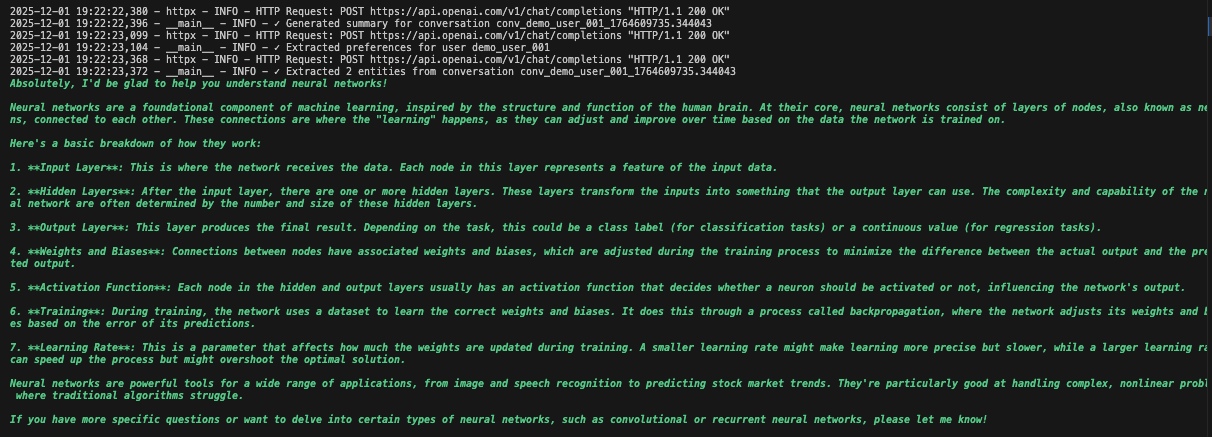
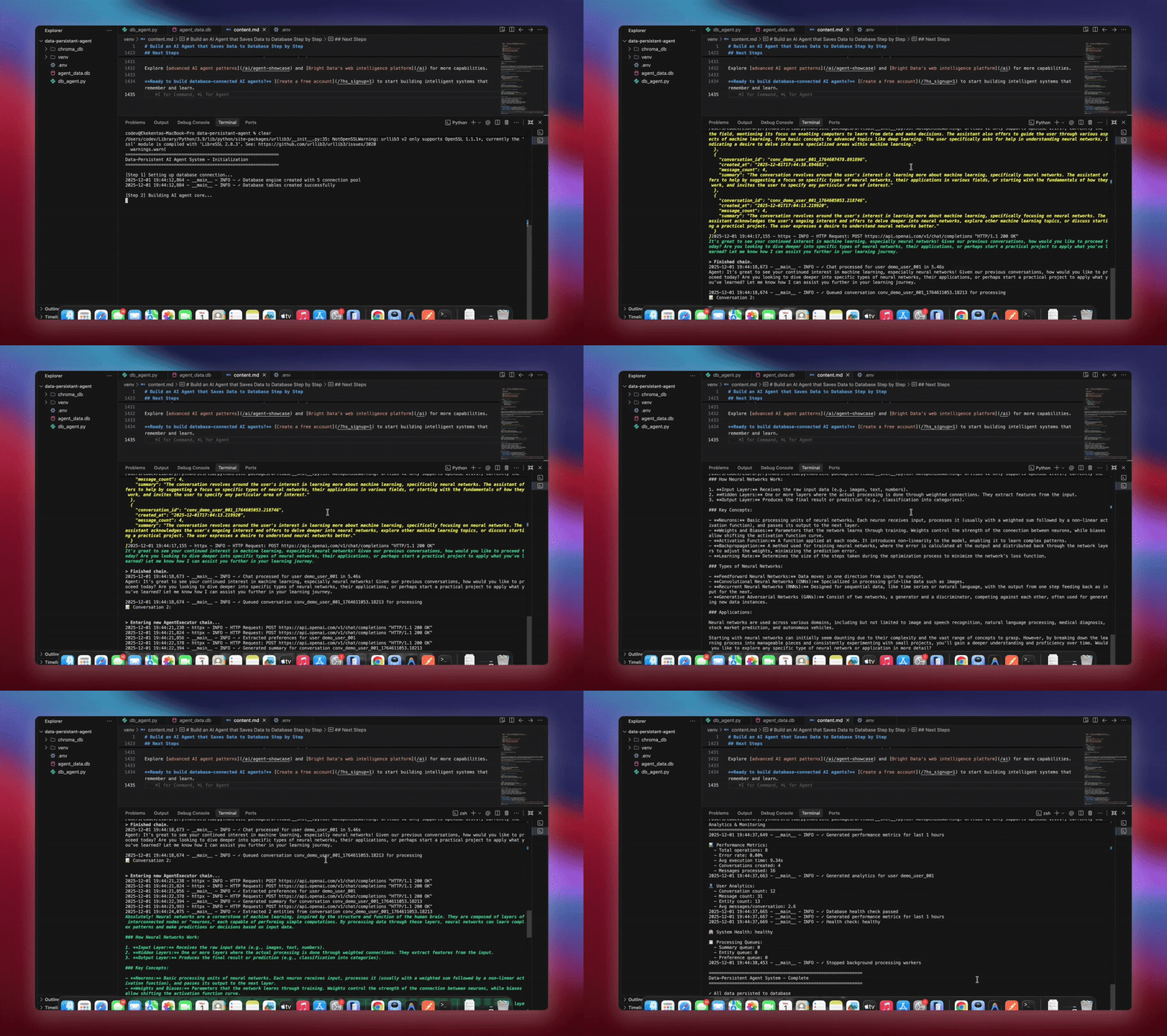
python agent.pyシステムは完全なワークフローを実行します。データベースを初期化してすべてのテーブルを作成します。データベースツールを持つLangChainエージェントをセットアップします。処理のためのバックグラウンドワーカーを起動します。デモ会話を処理してデータベースに保存します。バックグラウンドでエンティティを抽出してサマリーを生成します。リアルタイムの分析とメトリクスを表示します。
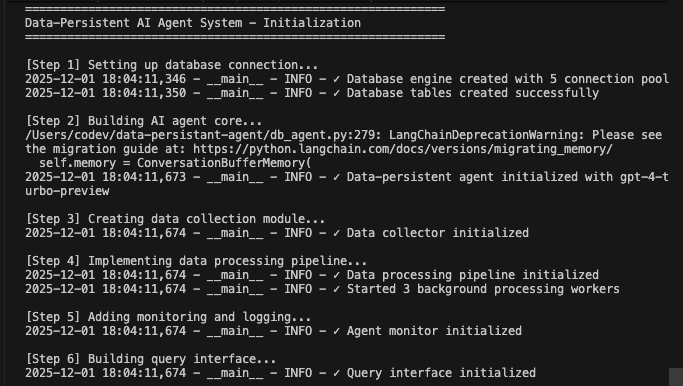
各コンポーネントが初期化されてデータを処理する際に詳細なロギングが表示されます。エージェントはすべてのメッセージを保存し、インサイトを抽出し、完全な会話コンテキストを維持します。
実用的なユースケース
1. 完全な履歴を持つカスタマーサポート
# Agent retrieves past interactions
support_agent = DataPersistentAgent(db_manager)
response = support_agent.chat(
    user_id="customer_123",
    message="I'm still having that connection issue"
)
# Agent sees previous conversations about connection problems
2. 学習機能を持つパーソナルAIアシスタント
# Agent learns preferences over time
query_interface = QueryInterface(db_manager)
analytics = query_interface.get_user_analytics("user_456")
# Shows interaction patterns, preferences, common topics
3. ナレッジベースを持つリサーチアシスタント
# Combine conversation history with web data
enhancer = BrightDataEnhancer(api_key, db_manager)
enhancer.ingest_to_rag(research_data, ["title", "abstract", "content"])
agent = enhancer.enhance_agent(agent)
# Agent references both past discussions and latest research
メリットのまとめ
| 機能 | データベースなし | データベース永続化あり |
|---|---|---|
| メモリ | 再起動時に消失 | 永続的なストレージ |
| パーソナライゼーション | なし | 完全な履歴に基づく |
| 分析 | 不可能 | 完全なインタラクションデータ |
| エラーリカバリ | 手動介入 | 自動リトライとロギング |
| スケーラビリティ | 単一インスタンス | 共有状態のマルチインスタンス |
| インサイト | セッション後に消失 | 抽出・追跡済み |
まとめ
これで、会話をデータベースに永続化する本番環境対応のAIエージェントシステムが完成しました。このシステムはすべてのインタラクションを保存し、エンティティとインサイトを抽出し、完全な会話履歴を維持し、自動エラーリカバリを備えた監視を提供します。
安全なアクセスのためのユーザー認証の追加、分析を可視化するダッシュボードの構築、セマンティック検索のためのエンベディングの実装、統合のためのAPIエンドポイントの作成、スケーラビリティのためのDockerでのデプロイなどで強化できます。モジュラー設計により、特定のニーズに合わせた簡単なカスタマイズが可能です。
高度なAIエージェントパターンとBright Dataのウェブインテリジェンスインフラでさらなる機能を探索してください。
無料アカウントを作成して、記憶・学習するインテリジェントなシステムの構築を始めましょう。